
Shared guide
Local providers perform country lookups from database files stored on your WordPress server. They avoid a remote request but require file downloads and updates.
Open database settings
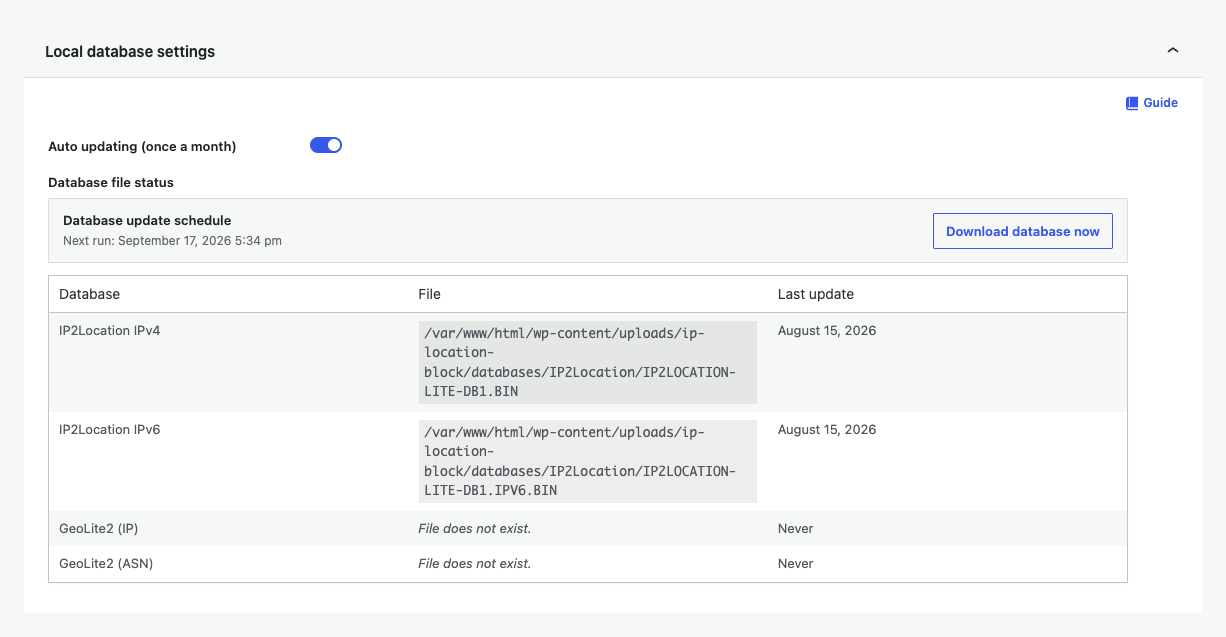
Choose Advanced, then expand Local database settings.
Download and update
- Turn on monthly automatic updates.
- Use Download database now for the initial files or an immediate refresh.
- Confirm the expected IPv4 and IPv6 rows show a recent update.
Understand the precision limit
Local country databases are suitable for country rules. Regional rules require a provider that returns the supported state or region value. The IP Location Block provider can handle that precise lookup while a local provider remains available for country fallback.
File permissions and failures
If a download fails, confirm the uploads directory is writable, outbound downloads are allowed, and the scheduled task can run. Diagnostics and the WordPress debug log provide the next error detail.