
The Simple view gives you the shortest path from activation to a working country rule. You can move to Advanced at any time without losing these settings.
Open the plugin
- Install and activate IP Location Block.
- In WordPress, open Settings > IP Location Block.
- Choose Simple above the settings cards.
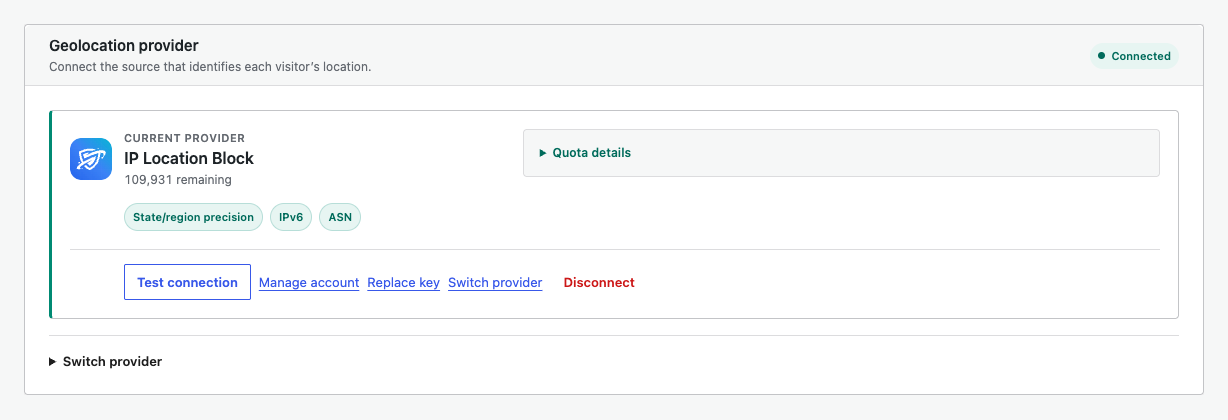
Connect a provider
A provider identifies the country and other supported location data for each visitor. Follow Connect a geolocation provider if the card is not connected.
Create a country rule
- Turn on Enable location blocking.
- Choose Block these countries or Allow only these countries.
- Search for each country by name or two-letter code.
- Review the sentence below Action. It describes who will be blocked.
Choose what to protect
Public-site blocking is controlled by the main location toggle. Turn on Also protect wp-admin & login only when you are ready to apply the same rule to the admin, login, XML-RPC, and comments.
Test while signed out. Administrators and other logged-in users are not blocked on the public site, so use a private browser window or a separate connection.
Save and verify
Select Save Changes, then check the Search, Logs, and Diagnostics tabs. Provider connection tests are applied immediately and do not need another Save Changes click.