
Shared guide
Use the tabs next to Settings to understand what the plugin is doing before and after you change a rule.
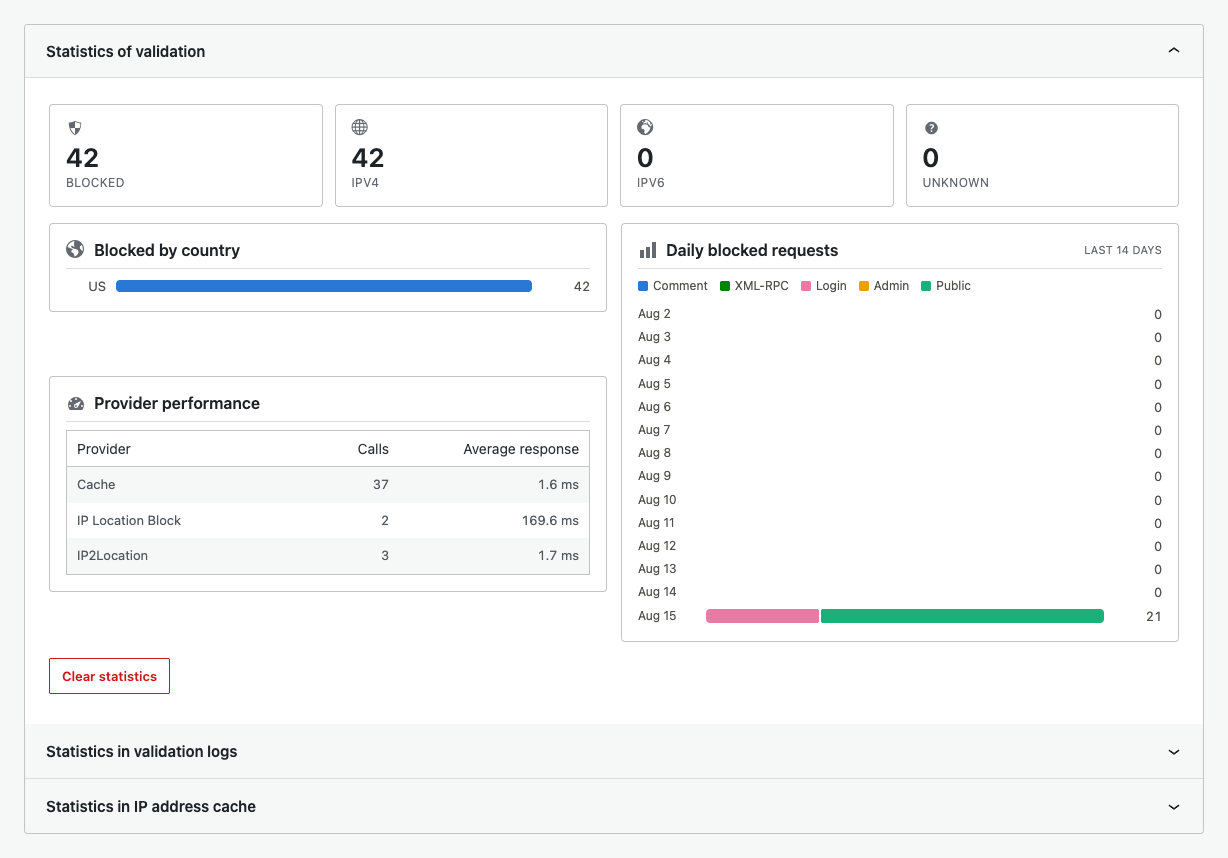
Statistics
Statistics summarize blocked requests, IP versions, countries, target types, and provider performance. Use them for trends, not as a replacement for individual log records.
Monitoring guides
Validation logsFilter, search, stream, export, and inspect individual decisions.Search an IP addressCompare provider results and verify exact region spelling.DiagnosticsRun configuration, provider, compatibility, and login safety checks.
Safe testing workflow
- Use Search to confirm the expected provider result.
- Change one rule at a time.
- Test while signed out.
- Confirm the decision in Logs.
- Run Diagnostics if the result differs from the rule.