
Shared guide
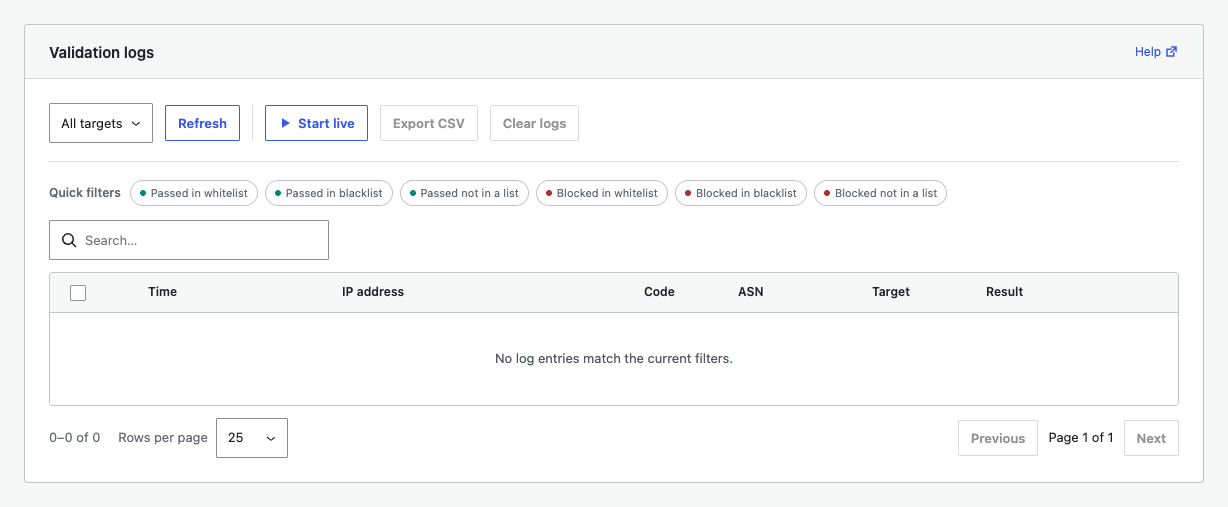
The Logs tab shows individual validation decisions. It is the best place to confirm why a request passed or was blocked.
Filter the log
Choose a target such as Public, Login, Admin, XML-RPC, or Comment. Quick filters narrow the table to passed or blocked decisions for whitelist, blacklist, and unmatched requests.
Inspect a row
Open Details to review time, masked IP address, country code, ASN, target, and result. Compare those values with the active rule.
Live view, export, and clear
- Start live refreshes incoming activity.
- Export CSV downloads the filtered records.
- Clear logs permanently removes selected records after confirmation.
Privacy
Recording and anonymization settings are under Advanced > Privacy and record settings. Collect only the data and retention period your site needs.