
Regional rules use the administrative area returned by the provider. The unit can be a state, province, prefecture, territory, or another region depending on the country.
Before you add a rule
Create the country rule first. Regional rules refine that base, while the country rule remains available for every provider.
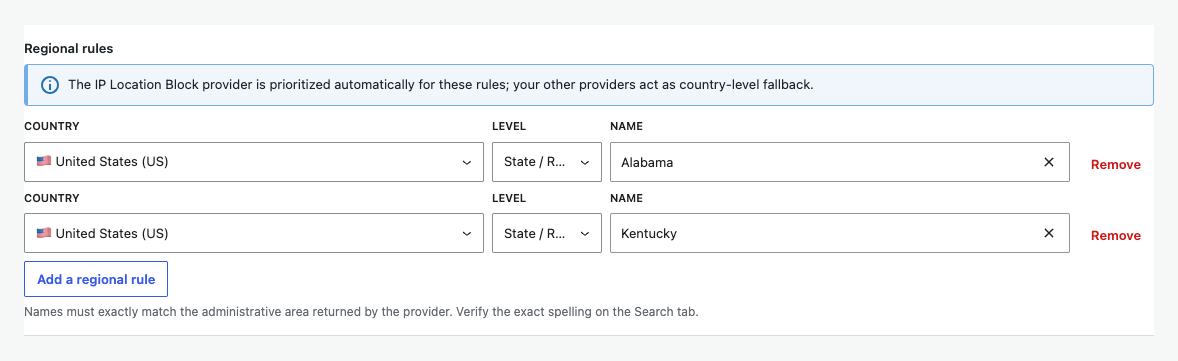
The IP Location Block provider is prioritized automatically for regional rules. Other configured providers can continue as country-level fallback.
Add a regional rule
- Under Regional rules, choose the country.
- Keep the available administrative level selected.
- Search for the exact area name returned by the provider.
- Select Add a regional rule for another area.
- Save the settings.
Verify the exact name
Open the Search tab and look up a representative IP address. Copy the state or region spelling exactly.
When a provider lacks precision
The location blocking toggle stays on and country matching continues. Precision rows are unavailable for that provider and the plugin displays a warning. Your saved regional rules remain in place for a provider that supports them.