
Looking for current setup instructions?
Open current guide
The Codex is preserved as a legacy and developer reference. The current interface is documented in the new guides.
Filter each entry in “Validation logs” and register “Preset filters” for “Search in logs”.
Description
The filter hook “ip-location-block-logs” makes each entry in logs to be filtered. Also “ip-location-block-logs-preset” allows to resiger preset filters for search text box.
Parameters
ip-location-block-logs
- $logs
An array of validation logs that consist as follows:
  Array (
      [0 /* DB row number */] => '154',
      [1 /* Target        */] => 'comment',
      [2 /* Time          */] => '1534580897',
      [3 /* IP address    */] => '102.177.147.***',
      [4 /* Country code  */] => 'ZA',
      [5 /* Result        */] => 'blocked',
      [6 /* AS number     */] => 'AS328239',
      [7 /* Request       */] => 'POST[80]:/wp-comments-post.php',
      [8 /* User agent    */] => 'Mozilla/5.0 (Macintosh; Intel Mac OS X 10_13_6) ...',
      [9 /* HTTP headers  */] => 'HTTP_X_FORWARDED_FOR=102.177.147.***...',
     [10 /* $_POST data   */] => 'comment=Hello.,author,email,url,comment_post_ID...',
  )
ip-location-block-logs-preset
- $filters
An array of preset filters that consists oftitleandvalue.
Use case
The following code snippet in drop-in-admin.php placed at the directory of Geolocation API library can add an UI to “Search in logs” corresponded to the filtered logs to make analysys of logs easy.
And here’s a sample of new UI “Preset filters”.
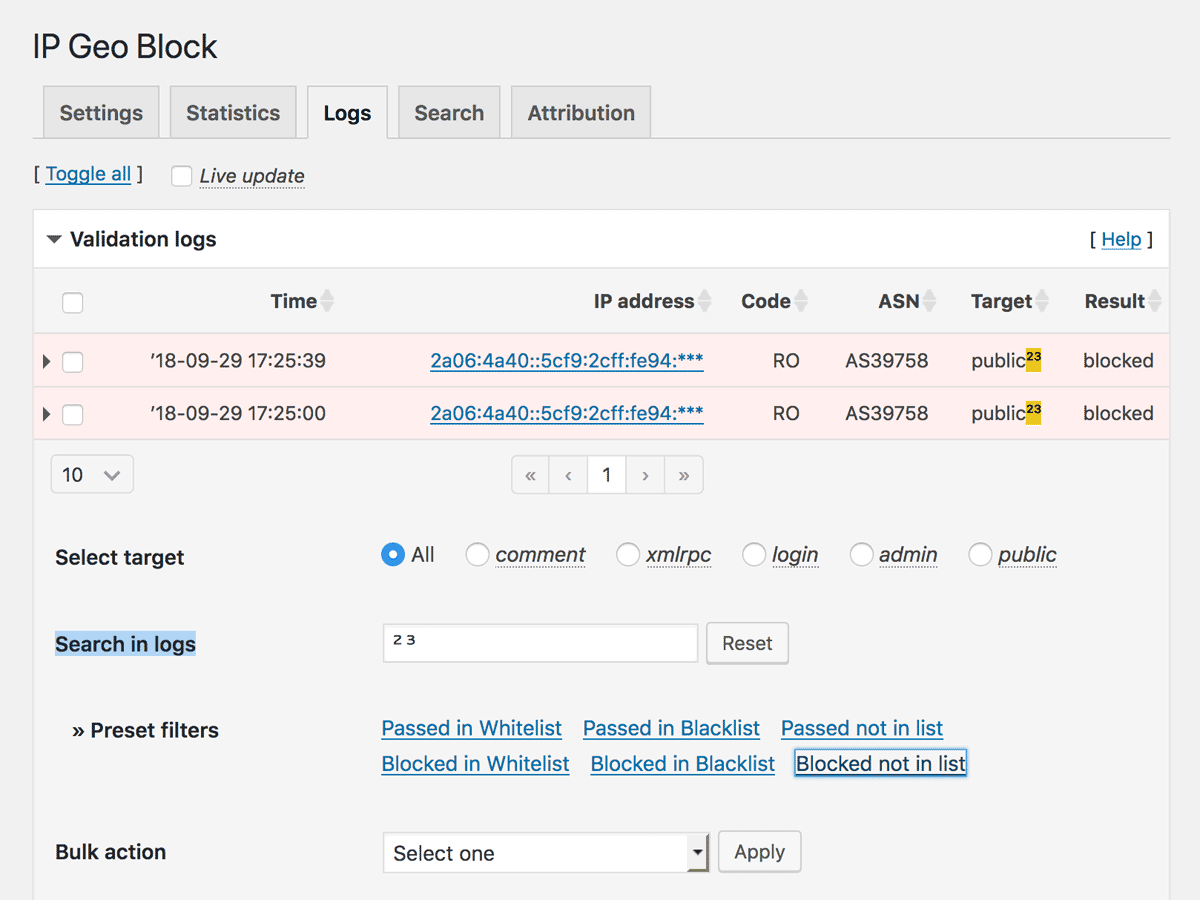
Note: In the above code snippet, some html entities such as
¹ are used. Not all the entities are available but some of those which are defined in ent2ncr() because all the text will be escaped by esc_html() before rendering. Since
0.3.0.15